 Back in
 Please don't touchThis Mac is guarded. Touching it sounds the alarm.
01
Start it before you step away.
Click the shield in the menu bar. Five seconds later every screen frosts over, with one line on it: please don't touch.
Off for a coffee, a call or the restroom? Leave your MacBook on the table. If someone touches it, it sounds the alarm, and your phone knows right away.
Click the shield in the menu bar. Five seconds later every screen frosts over, with one line on it: please don't touch.
Lift it, close the lid or pull the charger and the siren goes off at once. A key or the trackpad gets 10 seconds of warning first. The moments before the touch are saved too.
Rest your finger on Touch ID and the frost clears. It tells you how long you were away and whether anyone touched it.
Library, Café or On the go. A knock on the table or a bag set down next to it doesn't count.
When someone touches it, the 10 seconds before are saved along with everything after, on your Mac.
Touch ID turns it off. A finger that isn't yours sounds the alarm.
Quit it by force and it opens again at once, still sounding.
Closing the lid sounds the alarm, and the Mac doesn't go to sleep.
Test mode runs the whole alarm without a sound, so you know what to expect.
When someone touches your Mac, your iPhone gets an alarm with a photo. Watch the camera live, then stop the siren or disarm from wherever you are.
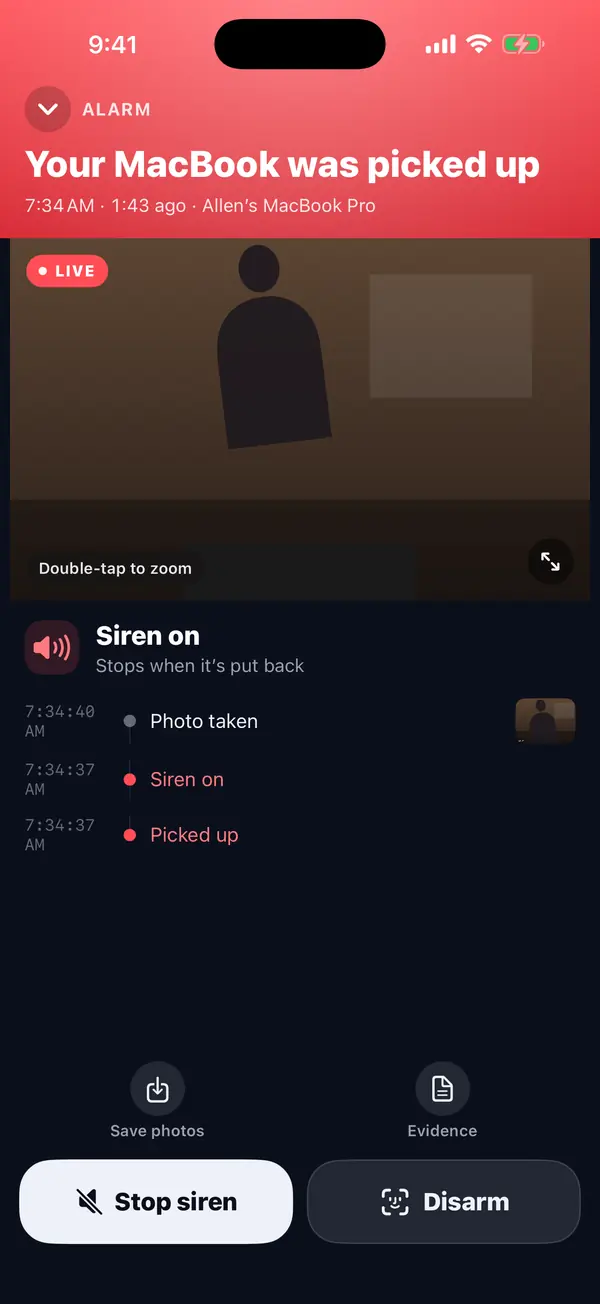
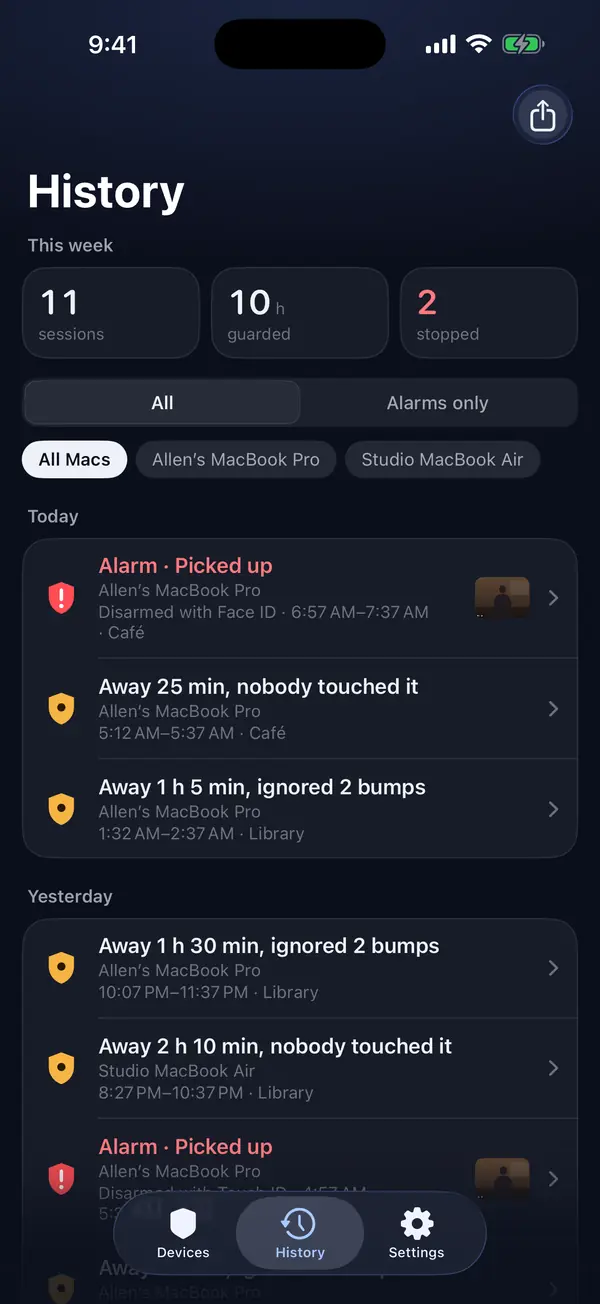
The camera keeps only the last 10 seconds, in memory. If nobody touches the Mac, nothing is saved.
Every face except the one closest to the Mac is pixelated.
No tracking. Alarm photos are kept for 7 days, and you can delete them anytime.
MacBook Air and MacBook Pro with Apple silicon (M1 or later), on macOS 14 Sonoma or later.
No. On its own, the Mac guards, sounds the siren and records. The iPhone app, coming soon, adds alarms with a photo, the live camera and stopping the siren from anywhere.
A knock on the table doesn't count. A key or the trackpad gets 10 seconds of soft beeps first: rest your finger on Touch ID and it stops.
They stay on your Mac, in Movies › Back in 5, for 7 days. Only a few photos of an alarm go to your phone through our server, and they're deleted after 7 days.
Yes, everything is free right now. No account, no ads.